

At the time of writing, the latest stable React Native release is 0.86. If your application is still running on React Native 0.7x (0.70–0.79), the short answer is: yes, most teams should start planning the upgrade. The framework is now more stable, faster, easier to debug, and better aligned with modern mobile development practices.
React Native has undergone significant architectural improvements since version 0.79. Recent releases focus less on flashy APIs and more on strengthening the platform for long-term growth—with several releases shipping no user-facing breaking changes, making upgrades safer than they used to be.
In this guide, we cover:
- Major changes introduced after React Native 0.79
- Benefits of upgrading to the 0.8x series
- Potential challenges and impact on existing apps
- Recommended upgrade strategy and checklist
- What happens if you delay the migration
Why React Native 0.8x Matters
The React Native team has spent the last several releases focusing on:
- New Architecture maturity
- Better performance and startup optimizations
- Improved developer experience and DevTools
- Reduced upgrade friction and more stable tooling
- Future-proof mobile applications
Need expert help during the upgrade? Explore our Hire React Native Developer and Hire Mobile App Developer services for dedicated upgrade support.
Major Changes Since React Native 0.79
React Native 0.80 · June 2025
Highlights: Continued New Architecture improvements, better performance and startup optimizations, improved ecosystem compatibility, enhanced stability across Android and iOS.
Why it matters: Further strengthened Fabric and TurboModules adoption while reducing friction for teams migrating from older versions.
React Native 0.81 · August 2025
Highlights: Faster build processes, improved developer tooling, better TypeScript support, additional New Architecture refinements.
Why it matters: Development workflows became smoother, especially for larger applications.
React Native 0.82 · October 2025
Highlights: Major architecture stabilization, Hermes improvements, better memory management, enhanced platform consistency.
Why it matters: Apps experienced improved runtime performance and reduced crashes.
React Native 0.83 · December 2025
Highlights: React 19.2 support, significant React Native DevTools improvements, experimental Web Performance APIs and Intersection Observer support, no user-facing breaking changes.
Why it matters: Debugging and performance analysis became much easier. React Native moved closer to modern web standards.
React Native 0.84 · February 2026
Highlights: New Architecture refinements, improved stability, better compatibility across libraries, performance optimizations.
Why it matters: Large-scale applications became more reliable at production scale.
React Native 0.85 · April 2026
Highlights: New Animation Backend, dedicated Jest preset package, improved DevTools, enhanced animation performance, better testing experience.
Why it matters: Animation-heavy applications benefit significantly from smoother UI interactions. Teams using legacy bridge-dependent libraries should validate compatibility carefully before upgrading.
React Native 0.86 · June 2026
Highlights: Android edge-to-edge improvements, better Android 15+ support, React Native DevTools enhancements, no user-facing breaking changes, new governance and community structure.
Why it matters: Modern Android apps increasingly require edge-to-edge layouts—0.86 helps developers handle these requirements more reliably.
Benefits of Upgrading
1. Better performance
- Faster rendering with New Architecture improvements
- Reduced bridge overhead
- Lower memory consumption
- Improved startup times
2. Improved developer experience
- Better DevTools and easier debugging
- Faster builds and improved error reporting
- Cleaner testing setup with dedicated Jest presets
3. Future compatibility
Many popular libraries now prioritize React Native 0.8x support. Staying current reduces future migration effort and dependency risk.
4. Modern React features
Recent React Native versions align more closely with modern React releases, including React 19 improvements.
5. Better Android and iOS support
New OS versions receive first-class support only in newer React Native releases—including Android 15+ edge-to-edge requirements.
Impact on Existing Applications
The impact varies based on project size and dependency complexity.
Low impact
Apps that use actively maintained libraries, already use TypeScript, and follow React Native best practices typically upgrade with minimal issues.
Medium impact
Apps with custom native modules, legacy navigation setups, or older dependency versions require additional testing and validation.
High impact
Apps that depend on unmaintained libraries, use custom bridge implementations, or contain significant native code may require refactoring and library replacements.
Common Upgrade Challenges
- Dependency compatibility — third-party libraries not yet supporting New Architecture requirements
- Native module updates — Android and iOS native code often needs adjustment
- Build configuration changes — Gradle, Android SDK, Xcode, and CocoaPods updates
- Testing effort — regression testing is critical to ensure stability
Recommended Upgrade Strategy
Avoid jumping directly from an early 0.7x release to 0.86 without preparation. Follow a methodical path instead.
Step 1: Audit your dependencies
Review navigation libraries, analytics SDKs, payment SDKs, push notification libraries, and native modules. Identify unsupported packages early.
Step 2: Review the Upgrade Helper
Use the official React Native Upgrade Helper to compare your current version with the target version and apply required configuration changes.
Step 3: Upgrade incrementally
Recommended path: 0.7x → 0.80 → 0.83 → 0.86. Incremental upgrades make debugging easier and reduce risk.
Step 4: Validate native integrations
Test camera, push notifications, deep links, authentication, payments, and analytics flows after each milestone.
Step 5: Perform full regression testing
Validate login flows, navigation, offline behavior, API communication, background tasks, and app startup performance.
React Native Upgrade Checklist
| Phase | Checklist items |
|---|---|
| Pre-upgrade | Inventory all dependencies · Review release notes · Identify unsupported libraries · Create backup branch · Define rollback plan |
| During upgrade | Update React Native and React versions · Update Android and iOS configuration · Fix compilation issues · Update testing setup |
| Post-upgrade | Run unit, integration, and E2E tests · Validate Android and iOS builds · Monitor crash analytics · Monitor performance metrics |
What If You Don't Upgrade Today?
You don't necessarily need to upgrade immediately. However, delaying upgrades for too long introduces real risks:
- Increasing technical debt — future upgrades become larger and more expensive
- Library support issues — many libraries eventually stop supporting older React Native versions
- Security and stability risks — bug fixes and platform updates are delivered primarily through newer releases
- OS compatibility problems — new Android and iOS versions may expose issues in older React Native apps
Final Recommendation
If your application is currently on React Native 0.79 or earlier, now is a good time to start planning the migration to the 0.8x series. The ecosystem has matured significantly, the New Architecture is more stable than ever, and recent releases focus heavily on performance, developer productivity, and long-term maintainability.
For most production applications, the upgrade effort is justified by better performance, improved stability, easier debugging, stronger ecosystem support, and reduced future technical debt. The key is to approach the migration methodically, validate dependencies early, and leverage the official Upgrade Helper throughout the process.
Planning a React Native upgrade with a dedicated team? Work with experienced React Native developers or scale your mobile squad through our mobile app development hiring model.
Latest Blogs
View All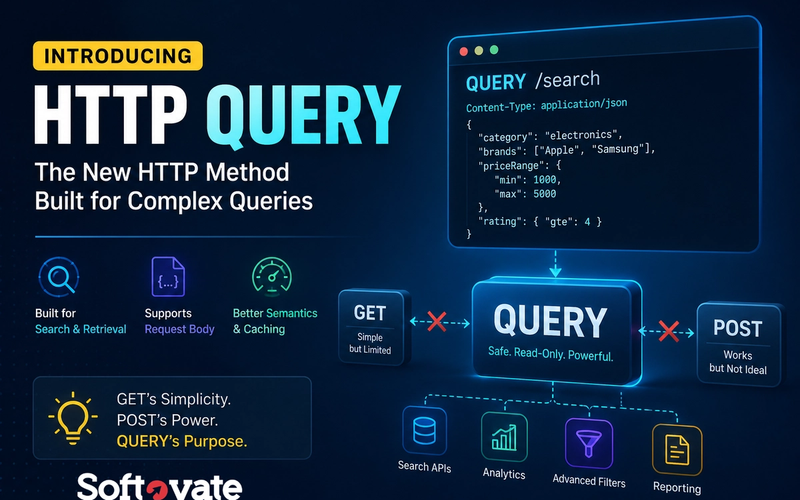
The Missing HTTP Method Is Finally Here: HTTP QUERY Explained
HTTP QUERY is a new HTTP method designed specifically for read-only data retrieval that requires a request body. Learn why GET requests struggle with complex searches, why POST became an imperfect workaround, and how HTTP QUERY provides a cleaner, standards-based solution for modern APIs.
- Web Development
- API Development
- Backend Development

How to Create a Meditation App in 2026: Features, Costs, Revenue Models & Growth Strategy
Planning to build a meditation app in 2026? Learn about essential features, guided meditation, healing programs, admin panel requirements, revenue models, user acquisition strategies, development costs, and monetization opportunities.
- Mobile App Development
- Meditation App
- Wellness App

AI Chatbot vs AI Agent: What Businesses Need in 2026
AI Chatbots and AI Agents are often confused, but they solve very different business problems. In this guide, discover the key differences, use cases, costs, and how businesses can leverage AI Agents and AI Chatbots to automate operations, improve customer experience, and drive growth in 2026.
- Artificial Intelligence
- AI Agents
- AI Chatbots